

Operator Console
A system administration console for on-premise operators — look up users and force-reset passwords
The Operator Console is a separate administration screen for the people who run a self-hosted CollabOps deployment. It is not visible to regular users of the product — only the system operator responsible for the whole deployment can access it.
The operator role is a completely different concept from in-product roles such as workspace Owner, Member, or Guest. It is not permission over a particular workspace — it is an operator-only capability for running the entire on-premise server. It does not apply to customers who simply use the product.
On-premise only
This console exists only in on-premise deployments. The cloud (SaaS) environment does not include the console or its related features at all, and in any non-on-premise environment every console path responds with Not Found (404).
Why it exists
On-premise environments often have no outbound mail (SMTP) server, so email-based password reset does not work in practice. In that situation, a user who forgets their password has no way to recover it on their own. The Operator Console solves this by letting the operator issue a temporary password directly.
Activation conditions
The console is activated only when all three of the following conditions are met.
| Condition | Description |
|---|---|
| On-premise mode | The deployment is running in on-premise mode |
| Operator username | The operator account username environment variable is set |
| Operator password | The operator account password environment variable is set |
If any one of them is missing, the console and its related features are not activated. Contact the deployment owner about environment variable settings.
Key features
Console sign-in — access with the operator account
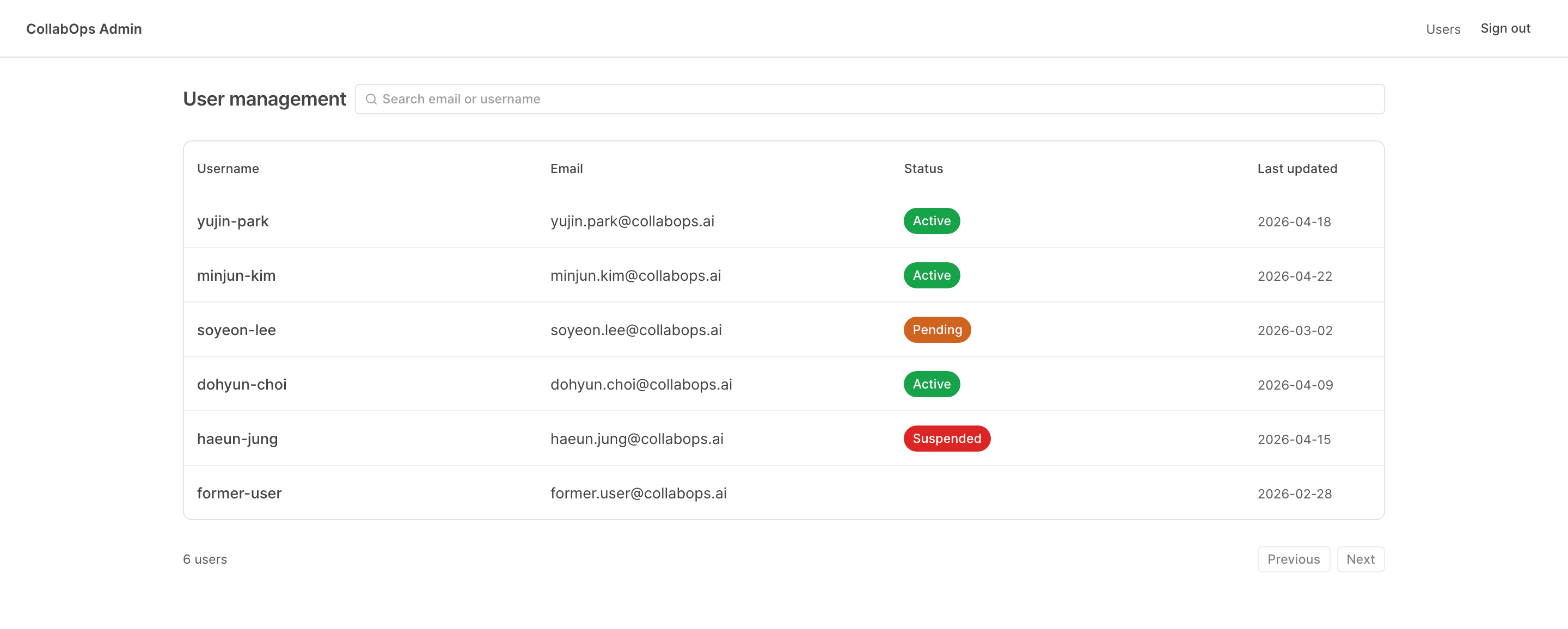
User management — browse, search, and view details of users registered in the deployment
Force password reset — issue a one-time temporary password to a user
Console address
The console lives at the /admin path of your deployment domain. For example, if your deployment domain is collabops.example.com, the console URL is:
https://collabops.example.com/adminSee the sign-in page for the URL format, additional examples, and step-by-step instructions.
The operator session is fully separate from regular user sign-in. Signing in to the console does not affect a regular user session in the same browser.