

An Eclipse Plugin for the Agent Era — Task Context Was Already the Problem 20 Years Ago
The problem Mylyn set out to solve in the mid-2000s is the agent context problem. What changed is that the thing reading that context is no longer only a person.

The CollabOps plugin for Eclipse is on the Marketplace. It puts issues, change requests and repositories inside Eclipse.
One thing about building it was unexpected. Looking for somewhere to attach it, we found that Eclipse had already solved this problem twenty years ago.
Task context was already the problem 20 years ago
The CollabOps plugin is a Mylyn connector. Mylyn is the task framework that ships with Eclipse.
The premise Mylyn set out in the mid-2000s was this: the IDE should know what the developer is working on right now. Instead of laying out the whole file tree, show what is relevant to the current task, and when the task changes, let the screen change with it.
That is why Mylyn has task activation. Activate an issue and it remembers which files were open, then restores them when you come back to that issue later. The mental bookkeeping you do when juggling two or three issues gets handed to the IDE.
At the time this was an argument about protecting human attention. With thirty files on screen, a person spends real time picking out the relevant ones.
What changed is what reads that context
We are meeting the same problem again. This time the reader is not only a person.
As covered in When coding agents write all the code, where does the bottleneck go?, what an agent produces is model capability times context quality. The first term is raised by the model companies; the second is ours.
Look at what that context consists of and it is almost exactly what Mylyn was talking about: what you are working on (the issue), why it looks this way (the description and the history), and what is riding on it (the linked change requests and check results). Mylyn tried to gather that in front of a person. Now the same material has to be handed to an agent as well.
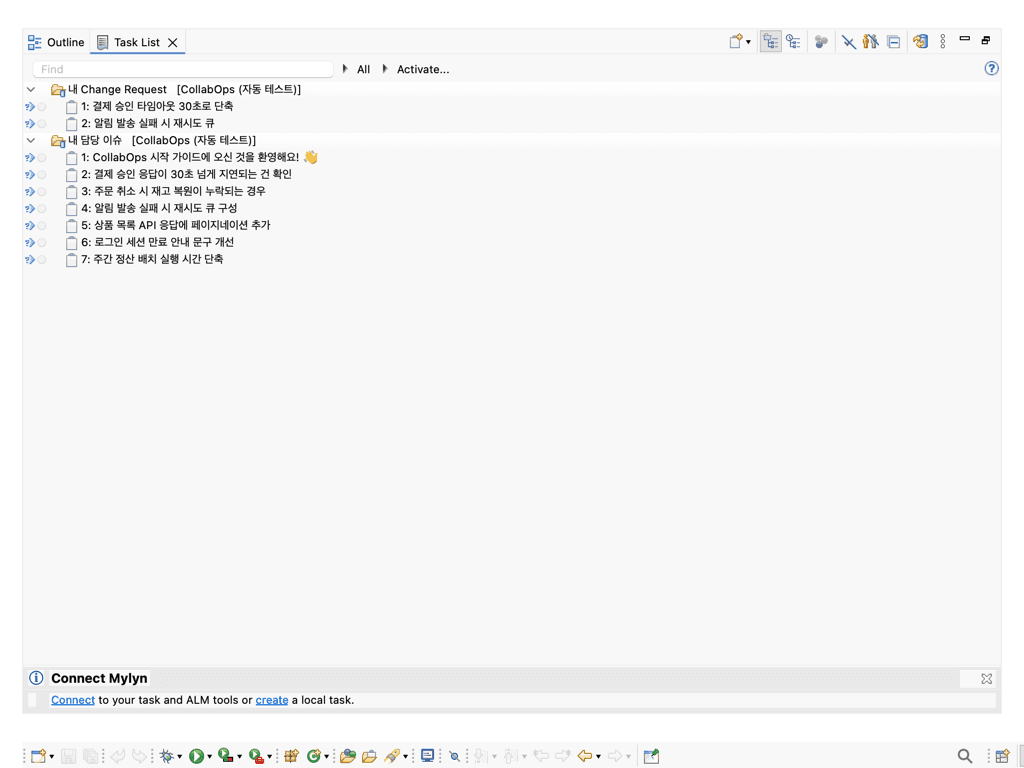
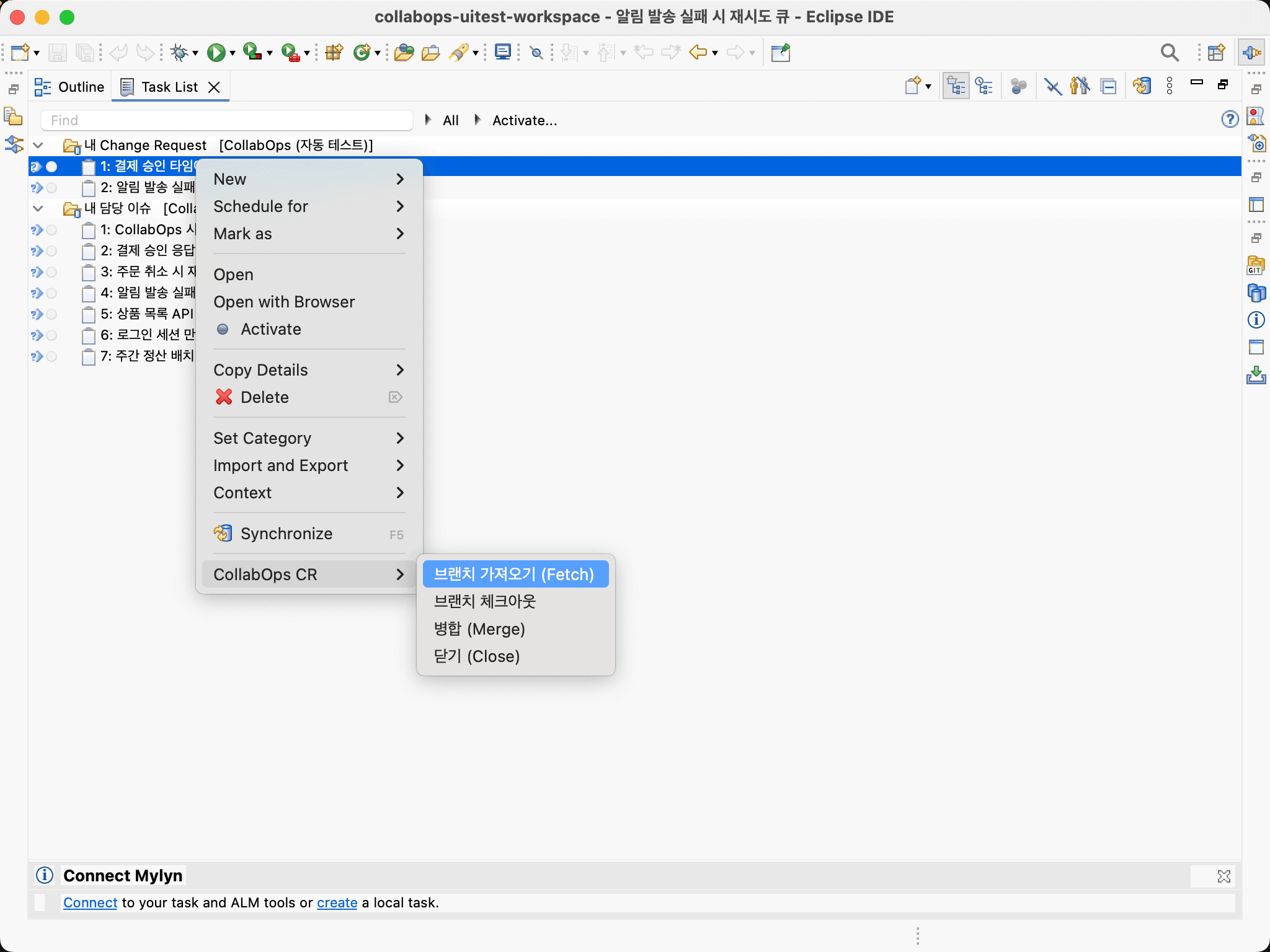
So what the plugin does is simple. It brings work from the CollabOps server into Eclipse's task list. Your issues and change requests arrive as a list inside the IDE, you edit them there, you fetch and check out branches, and you commit and push.
Why we did not draw new screens
We could have built our own views and editors. We did not.
As a Mylyn connector, the task list, the task editor, offline sync and credential storage are all handled by Mylyn. What we build is the part that connects to a CollabOps server.
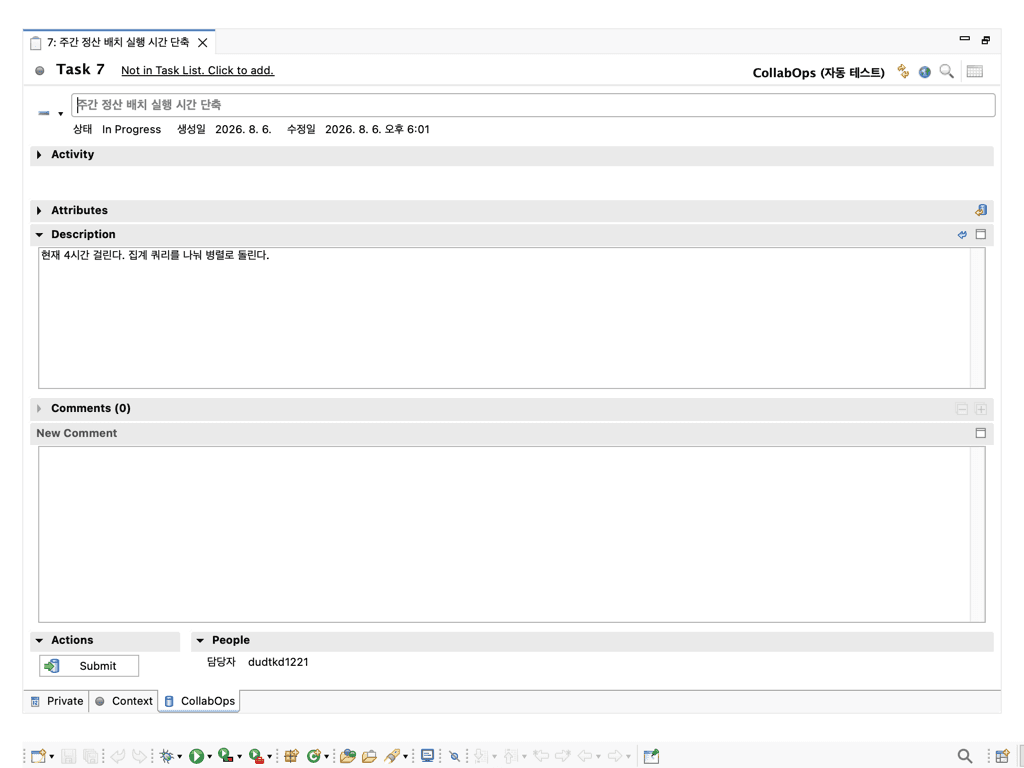
What that buys is more than saved code. It is the standard way to attach an issue tracker to Eclipse, so anyone who has used a Mylyn connector before finds the layout and the interactions familiar. It is less learning a new tool than adding one more server to a tool you already use.
The body follows the same rule. Descriptions travel as Markdown: bold, lists and code blocks written on the web show up as written, and edits made in the IDE appear on the web with the same formatting. That Markdown can be selected and pasted into a prompt matters here for the same reason it does in the VS Code extension. Anything drawn only as a screen exists only for human eyes.
Teams on Eclipse mostly cannot install an agent
This is the real reason the plugin exists.
Eclipse is still the standard IDE across finance, the public sector and manufacturing. Those environments are usually air-gapped, or at least tightly control what tooling comes in — the conditions covered in Why AI agents are hard to adopt on-premises.
So these teams are years behind on agent adoption. Being behind does not mean they need the execution layer less. If anything it is the reverse: these are the organisations with the strictest approval and traceability requirements, and the ones that need the contract in place before agents arrive.
The Eclipse plugin is not a showcase of features. It is the same contract, wired into an older IDE. Today a person reads that list. Later, an agent reads the same server.
Different IDE, same rules
The plugin does not wrap the web UI. It calls the same API the web calls. So does the VS Code extension, and so does the MCP server.
Because they share one contract, the state does not diverge no matter which IDE you are in. Move an issue's status in Eclipse and it has moved on the web; a comment written on the web shows up in the Eclipse editor. There is no question of which one is real.
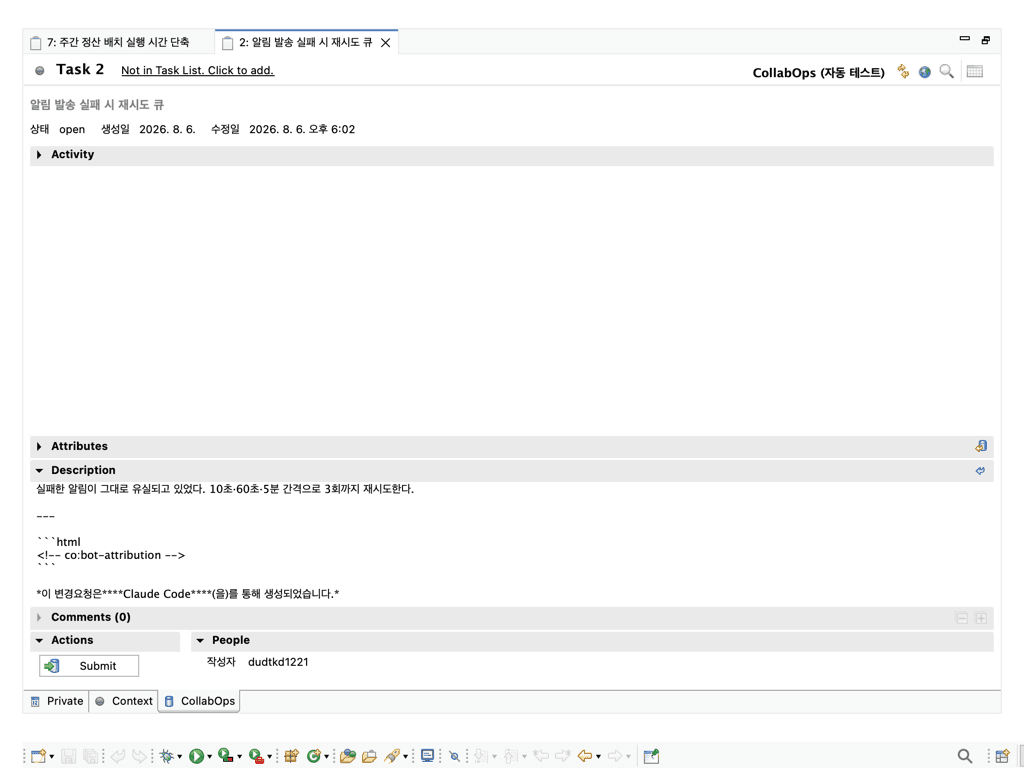
This is what "state, authority and execution on one plane" looks like in practice. With one plane, surfaces are cheap to add.
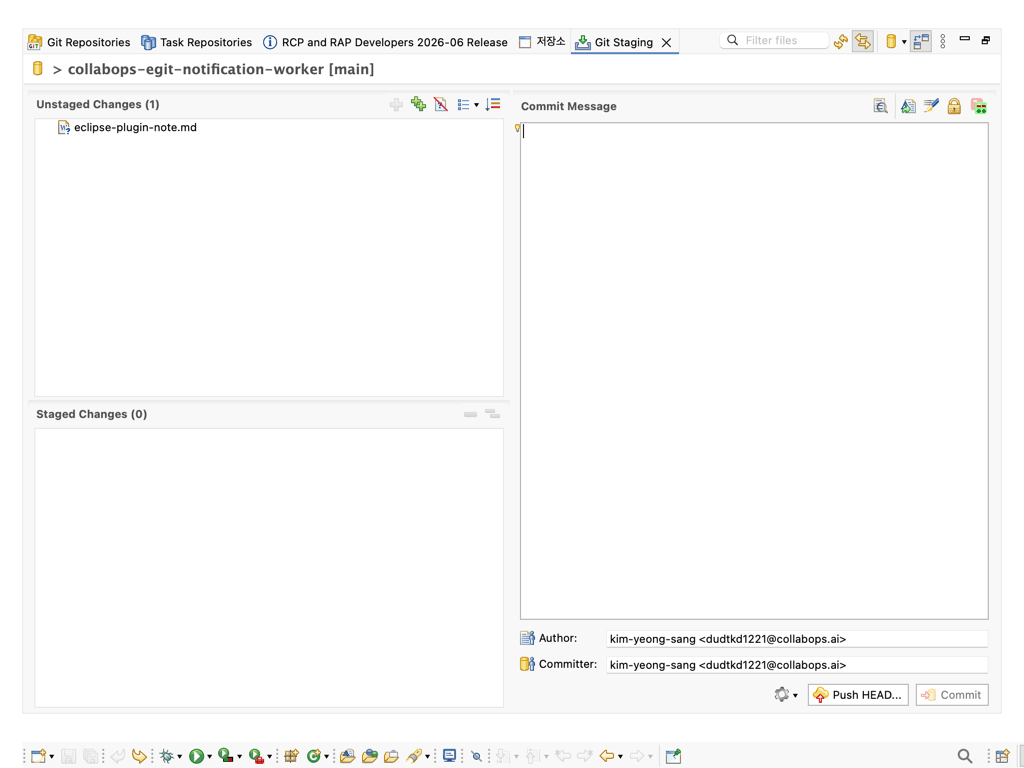
Git works the same way. CollabOps repositories are plain Git, so once you have cloned one you use EGit exactly as you already do. If you are already on EGit there is nothing new to learn.
Irreversible things take one more step
Merging a change request goes through a confirmation dialog. Deleting a repository requires typing the repository name again.
Keeping extra steps in a plugin built to save clicks sounds backwards. The reason is that as the total volume of automation grows, where a human intervened has to remain legible. It is the same problem as Can agents hold production deploy authority?.
There is no permanent delete for change requests, for the same reason. In CollabOps a change request ends by being closed.
What the web still does better
Line-level review comments and the pipeline view. Putting a diff side by side and commenting on one line wants a wide window and a file tree; pipelines need the logs and the stage graph together before you can judge them.
Everything else finishes inside the IDE: picking an issue and editing it, commenting, creating a change request, pulling a review branch to check it, and merging.
What about other IDEs?
The VS Code extension is already out, and JetBrains and Neovim are in preparation.
Installation needs Mylyn and Java 21 or newer. Eclipse dropped Mylyn from its packages starting with the 2022-06 release, so a recent download will need it installed separately. For machines with no internet access, an offline archive is available on request. Installation and a screen-by-screen walkthrough live in the Eclipse plugin guide.
Related posts
When a Product Manager Ships Code, Who Owns the Outage?
In organizations where product managers write code with AI and several agents work at once, who checks what before a change reaches production? A role design for verification, approval, and recovery that is independent of the author, grounded in NIST SSDF, SLSA provenance, and the Google SRE postmortem culture.
John Baek
A VS Code Extension for the Agent Era — What Developers Look At Now
Once writing code got cheap, a developer's time moved to judging and approving. Here is why those jobs cannot live outside the editor, and the choices behind the CollabOps VS Code extension.
Seungbaek Lee
Keep Using Eclipse — Answers on IDE Integration and ITSM Integration
How does this work with Eclipse, and can it integrate with our ITSM — these two questions almost always arrive together. What "standard Git protocol" actually means as an answer, and why the real substance of the ITSM requirement is the evidence chain.
John Baek